 CNV Connect
Hours you can trust, without chasing anyone
People clock in from their phone inside a location you registered. Every punch keeps its position, its accuracy and — when you ask for it — a photo and a completed safety form.
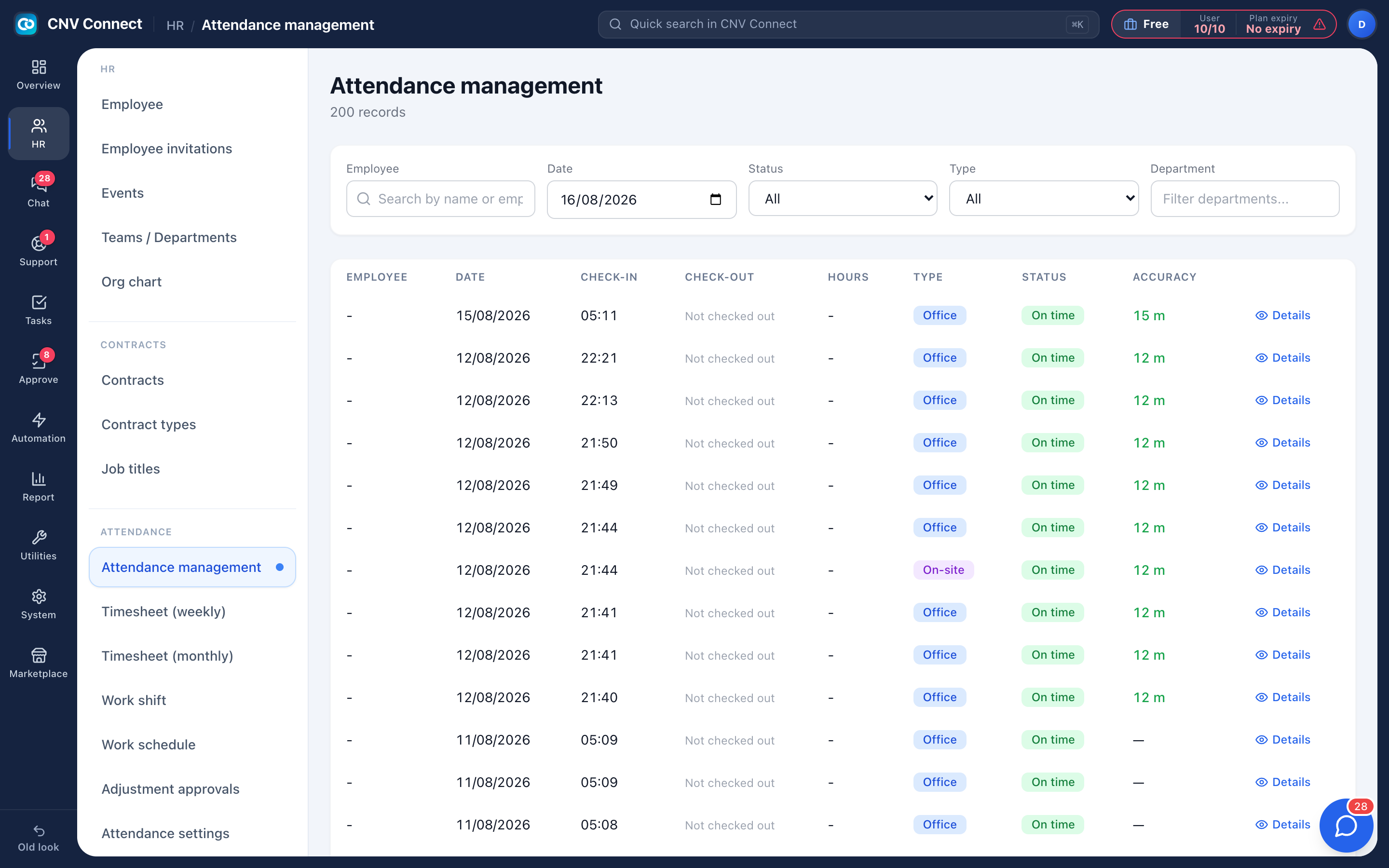
Verified on site
GPS radius per location, plus an optional Wi-Fi network for indoor sites where the signal is weak.
Office or field
Every record is tagged as an office clock-in inside a registered location, or an on-site punch out in the field.
Judged fairly
Late, absent and left-early are measured against the shift the person was actually rostered to — not a guess.
No silent edits
Managers cannot rewrite hours. The employee submits a correction and an approver signs it, leaving a trail.
Rules in layers, not one blunt setting
Attendance rules can be set at five levels — company-wide, branch, department, shift, or one individual — and the narrowest layer wins. That is how one workspace covers an office where clocking in is a formality and a site where nobody starts without a hazard assessment.
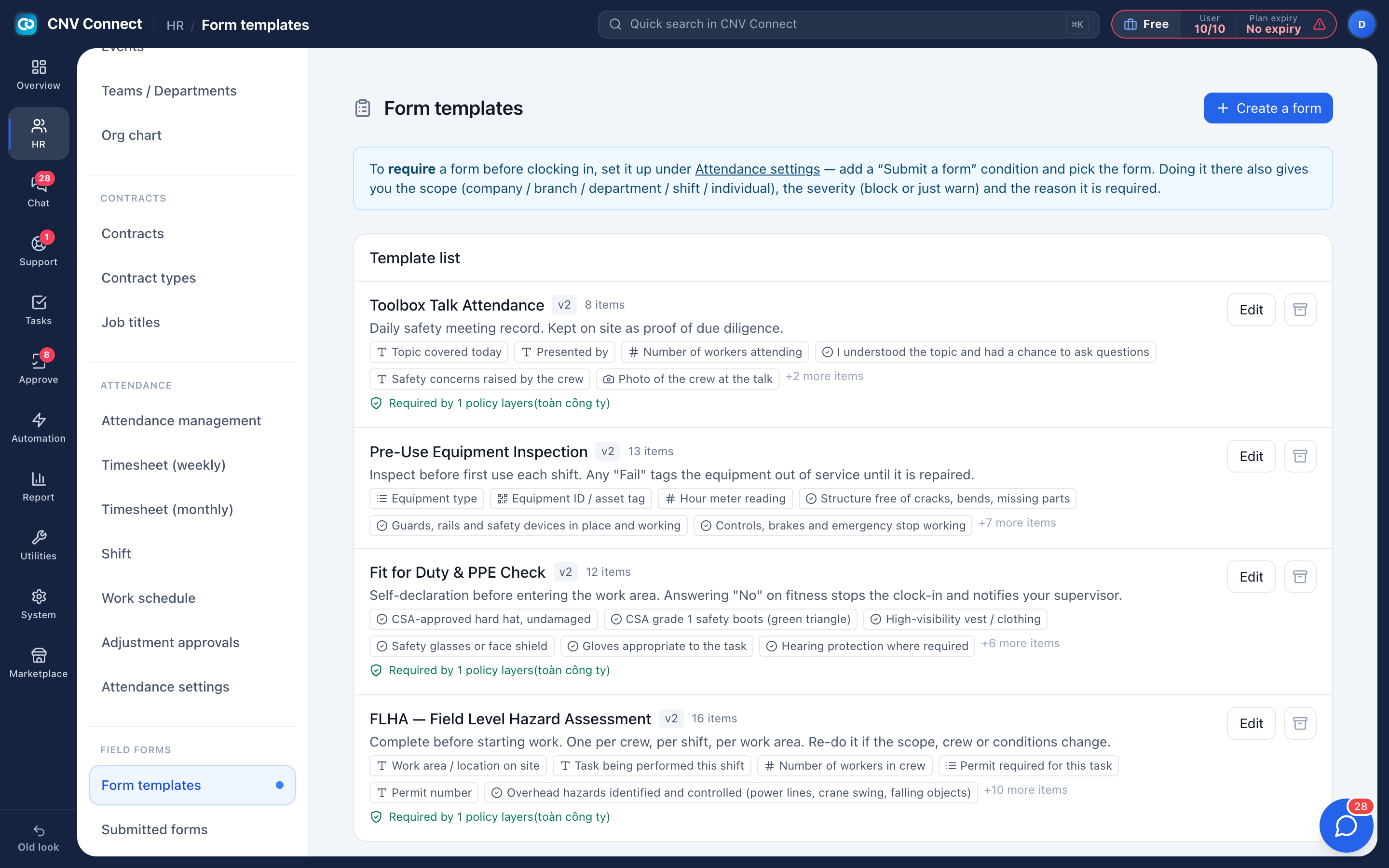
- Require a photo, a location, a Wi-Fi network or a completed form
- Choose whether a requirement blocks the clock-in or simply reminds
- Preview exactly what one employee will see on a given day before you roll a change out
- Recalculate past days after a rule change, instead of arguing about them
Timesheets your payroll team will accept
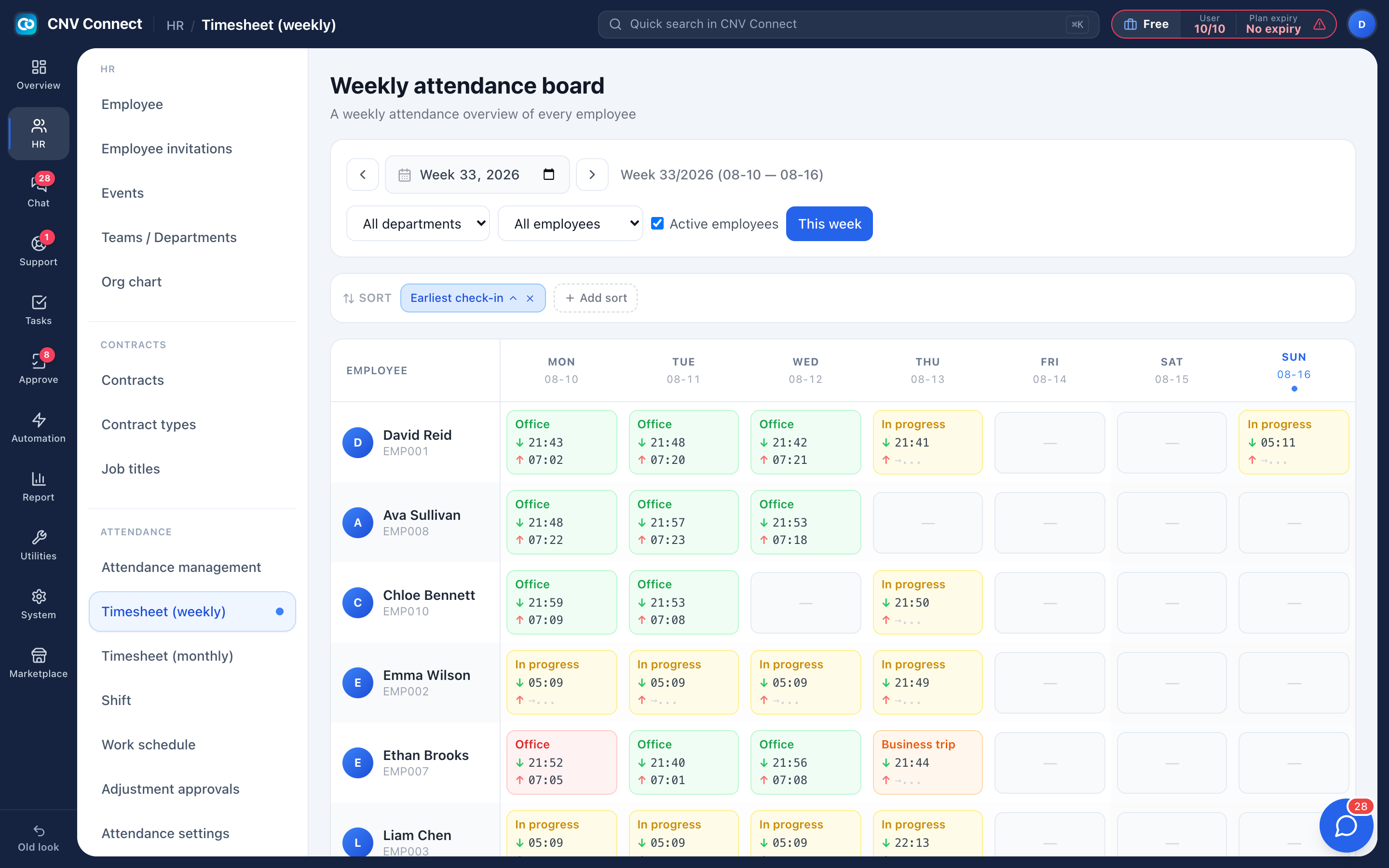
The weekly board shows everybody, Monday to Sunday, with in and out times in each cell. The monthly sheet is the payroll view: a column per day, and totals per leave code down the right — annual, sick, unpaid, public holiday, absent.
- Export the month to Excel exactly as you see it
- Absences that are neither recorded nor approved stand out before payroll closes
- Approved leave and public holidays fill themselves in
- Late minutes and penalty totals come from the same records
How teams set this up
- Register your work locations with a radius, and the shifts people work.
- Roster the week so the system knows who is expected where.
- Staff clock in from the mobile app; the record lands in the attendance list instantly.
- Review corrections, then export the month for payroll.
Frequently asked
What if GPS is unreliable inside a building?
Add the site Wi-Fi network to the location. Being on that network counts as being on site, which solves most indoor cases.
Can somebody clock in for a colleague?
The punch is tied to the signed-in account and carries the phone position and accuracy. Where that is not enough, require a photo in the attendance rules.
What happens when a person forgets to clock out?
The record stays open and the timesheet cell shows the shift in progress. The employee submits a correction with the real time and a manager approves it.
Works with
Scheduling
Define your shift patterns once, roster people day by day, and let staff claim the shifts nobody covers — from their phone, first come first served.
Forms & checklists
Hazard assessments, toolbox talks, fit-for-duty declarations and equipment inspections — designed once, filled in on site, and stored against the shift they belong to.
Reports
Attendance, headcount, contracts and assets — computed live from what your teams filed, not typed into a second spreadsheet.
Get your whole team on one system this week
The Free plan covers 10 users with every module switched on — no card, no sales call, no migration project.
Free forever for 10 users · no credit card · set up in an afternoon