 CNV Connect
Build the week in a grid, publish the gaps
Define your shift patterns once, roster people day by day, and let staff claim the shifts nobody covers — from their phone, first come first served.
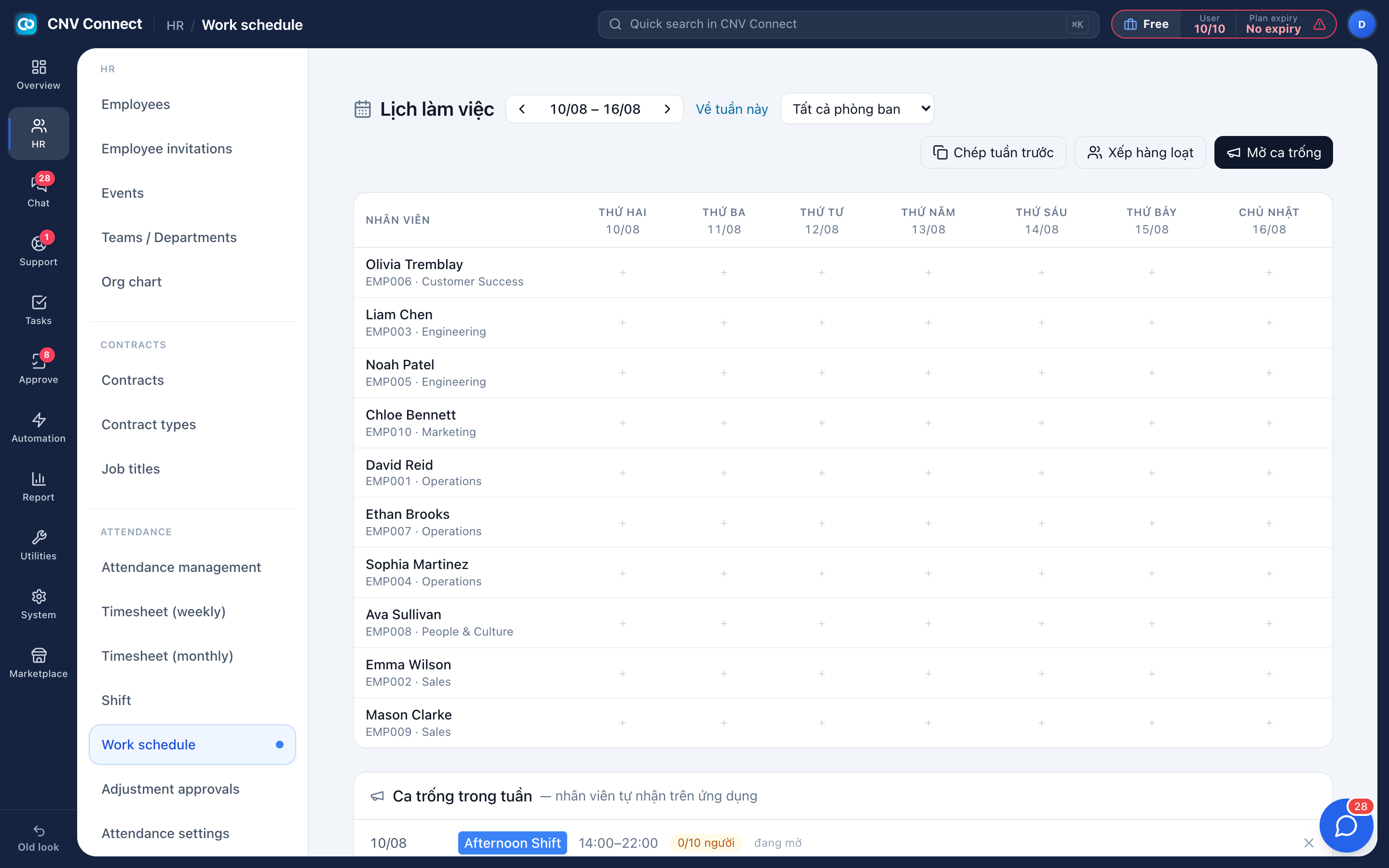
Patterns, then days
A shift describes hours and breaks. The roster decides who works which shift on which day.
Copy last week
Stable teams take one click; then you adjust only the exceptions.
Bulk assign
Put a group of people on the same shift across several days in one action.
Open shifts
Publish an unfilled shift and the first employee to accept it on mobile fills the slot.
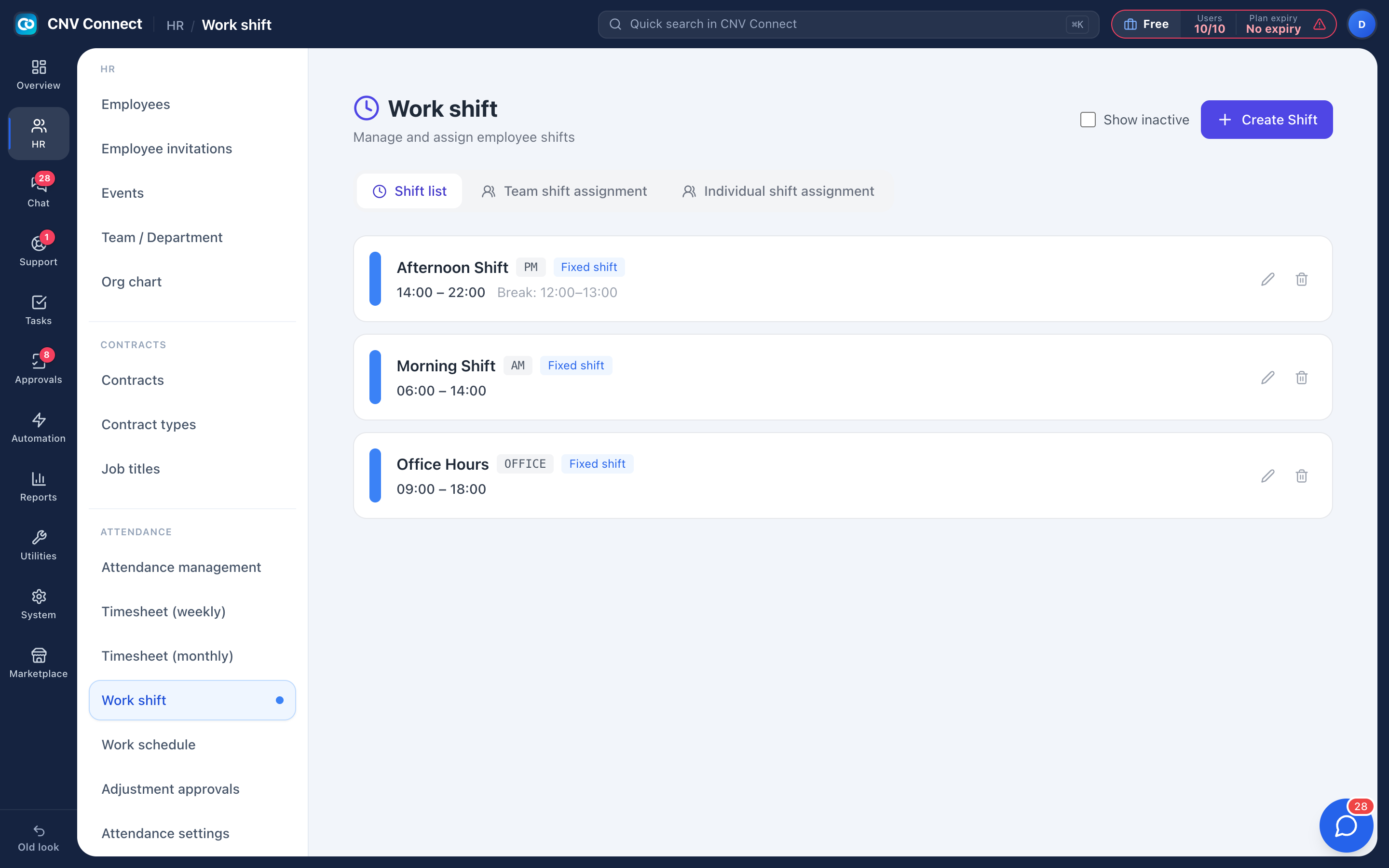
Shifts that match how you really work
Fixed shifts start at a set time. Flexible shifts give a window. Overnight shifts simply end on the next day. Assign a pattern to a whole department, then override it for the one person on nights — the individual assignment wins.
- Fixed and flexible patterns, with break windows
- Team-level assignment that new joiners inherit automatically
- Individual assignment for the exceptions
- Late-arrival penalty rules attach to the shift, not to a person
The schedule is what attendance is judged against
Rostering is not decoration. Without it, the system can record times but cannot tell late from early, or absent from not-scheduled. With it, the dashboard, the timesheet and the attendance report all agree.
- Everyone sees their own week in the mobile app as soon as you save
- Approved leave should clear the roster, so nobody is counted absent for a booked day
- Unfilled shifts stay listed until somebody takes them
How teams set this up
- Create the shift patterns your company uses.
- Assign them by department, then adjust individuals.
- Roster the week — copy last week where the pattern holds.
- Publish anything still uncovered as an open shift.
Frequently asked
Can employees swap shifts themselves?
Uncovered shifts can be published for staff to claim. Direct swaps between two people stay a manager action, so the roster always has an owner.
Does the roster handle nights?
Yes — a shift that runs 22:00 to 06:00 simply ends on the following calendar day.
How far ahead can we plan?
As far as you like: the grid moves week by week and each week is saved independently.
Works with
Time clock & attendance
People clock in from their phone inside a location you registered.
People & HR
Records, contracts and renewals, departments, the org chart, leave requests and yearly balances — the master list that attendance, assets and approvals all read from.
Mobile app
Everything a deskless employee needs: clock in and out, submit the shift's forms, see the roster, claim an open shift, request leave, chat, and approve on the way to the next job.
Get your whole team on one system this week
The Free plan covers 10 users with every module switched on — no card, no sales call, no migration project.
Free forever for 10 users · no credit card · set up in an afternoon