 CNV Connect
Talk where the work already is
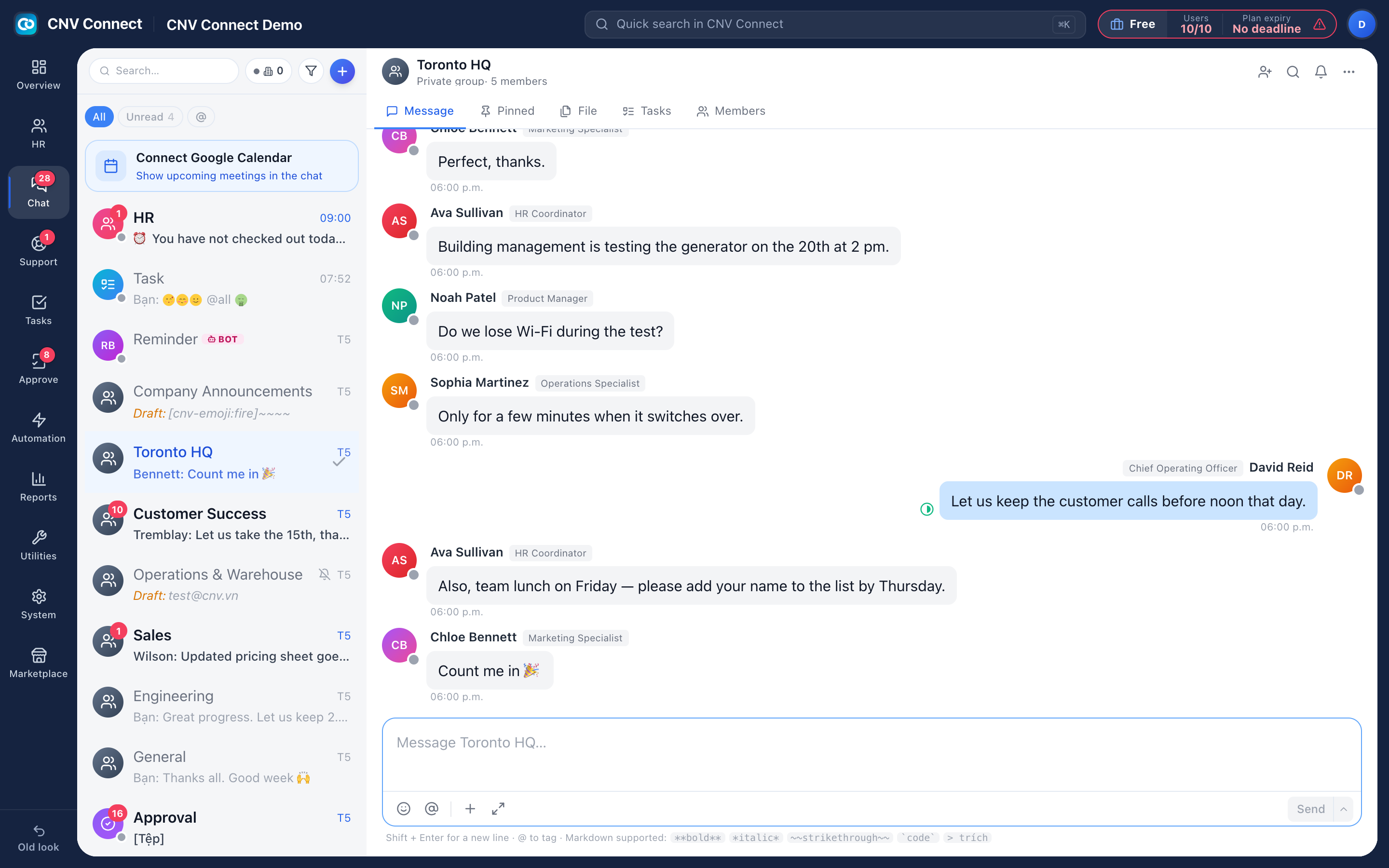
Channels for teams and sites, direct messages, files, pinned notices and bots that announce what the other modules are doing — inside the same workspace, on the same accounts.
Channels and DMs
Group conversations per team, site or project, plus one-to-one and small-group messages.
Pinned and searchable
Pin the working agreement; search every channel and message from one box.
Files in context
Each conversation has its own file tab — the fastest way to find what somebody shared last week.
Bots that post
Automations and external systems post into channels through a bot identity you control.
A company room that stays correct
Choose the channel everyone belongs to and switch on member sync: new employees are added automatically and leavers are removed. Nobody has to remember the new starter on their first morning.
- Markdown, mentions, emoji and scheduled messages
- Mute a noisy channel without leaving it
- Turn a message into a task, or attach the conversation to a ticket
- A chat dock floats on every other page, so answering does not lose your place
How teams set this up
- Switch the chat module on for the workspace.
- Create channels per team or site.
- Point the company room at your announcements channel and enable sync.
- Add a bot if another system should post updates.
Frequently asked
Is chat included in the free plan?
Yes. Chat is one of the twelve modules, and every plan — including Free — has all twelve. What changes higher up the ladder is automation, control and support.
Can we keep chat off?
Yes. It is a module the workspace can leave disabled, and the menu hides it entirely.
Do messages notify people on mobile?
Yes, with per-person control over which channels and events push to their phone.
Works with
Task management
List, kanban, gantt, calendar and workload — the same tasks, arranged for whoever is looking: the person doing the work, the manager balancing it, the director tracking the deadline.
Automation
Flows watch for an event — a task assigned, a ticket created, a date reached — and then notify, assign or update, without anybody remembering to.
Mobile app
Everything a deskless employee needs: clock in and out, submit the shift's forms, see the roster, claim an open shift, request leave, chat, and approve on the way to the next job.
Get your whole team on one system this week
The Free plan covers 10 users with every module switched on — no card, no sales call, no migration project.
Free forever for 10 users · no credit card · set up in an afternoon