 CNV Connect
When this happens, do that
Flows watch for an event — a task assigned, a ticket created, a date reached — and then notify, assign or update, without anybody remembering to.
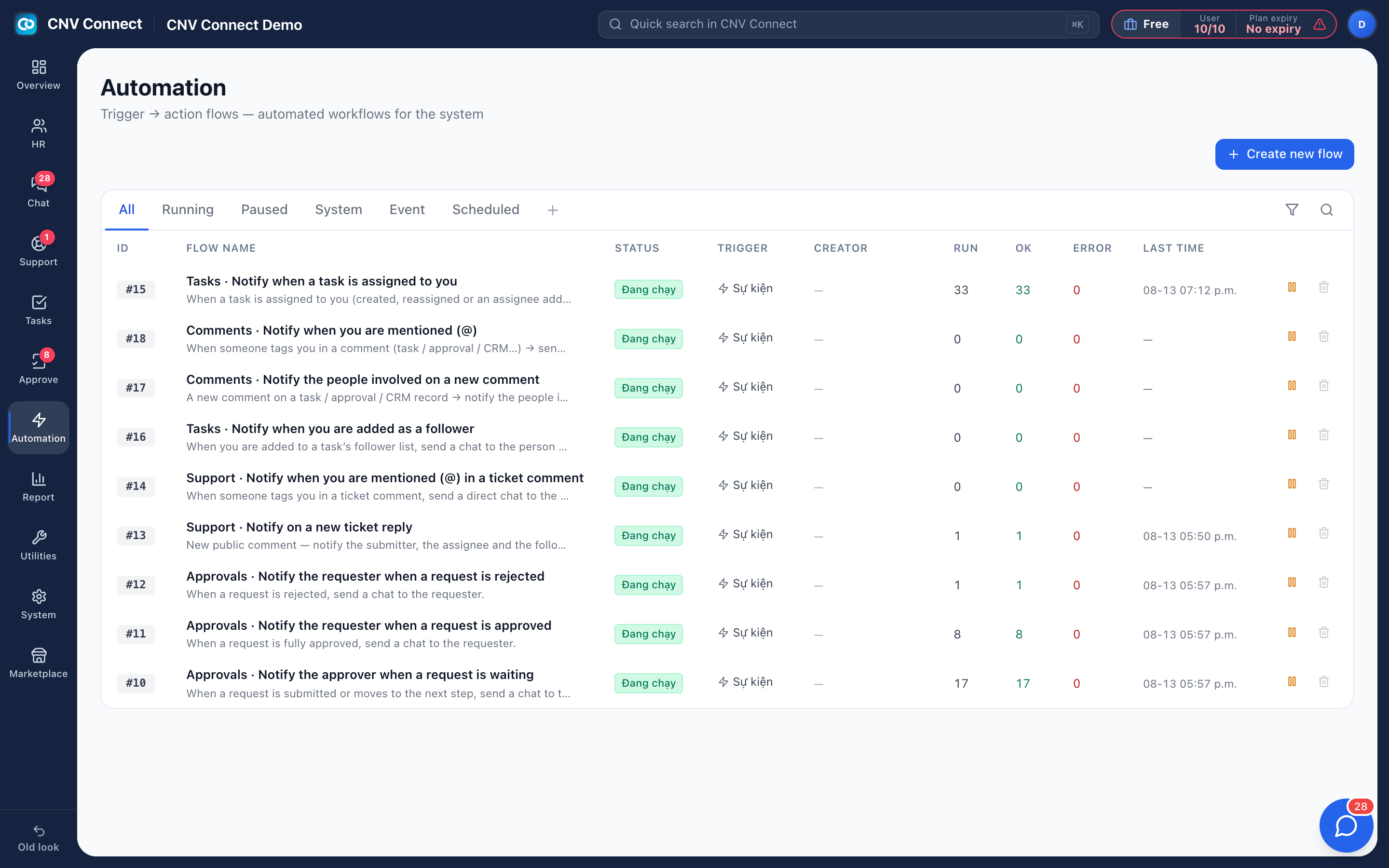
Three trigger kinds
Events inside a module, schedules you choose, and built-in system events.
Test before it is live
Fire a flow once with sample data and read the result before real events reach it.
Run logs
Every execution with its outcome — the page that says whether a flow never fired or fired and failed.
Health at a glance
Run, success and error counts per flow in the list, so a silently failing flow is visible.
Start from what already runs
A new workspace ships with useful flows switched on — assignment notices, approval reminders. Open one, see its shape, and copy it before writing your own. Conditions keep a flow narrow, which is what stops automation becoming noise.
- Post into a chat channel through a bot identity
- Pause a noisy flow without losing its history
- People can see which flows are set to notify them personally
How teams set this up
- Create the flow and set one trigger and one action.
- Test-run it and check the log.
- Narrow it with conditions, then widen the scope.
- Watch the error column weekly.
Frequently asked
Do flows run when nobody is signed in?
Yes — they run on the server, including scheduled ones.
Can a flow call an external system?
Outbound webhooks deliver signed events to an address you control, with retries and failure counts.
Works with
Team chat
Channels for teams and sites, direct messages, files, pinned notices and bots that announce what the other modules are doing — inside the same workspace, on the same accounts.
Task management
List, kanban, gantt, calendar and workload — the same tasks, arranged for whoever is looking: the person doing the work, the manager balancing it, the director tracking the deadline.
Get your whole team on one system this week
The Free plan covers 10 users with every module switched on — no card, no sales call, no migration project.
Free forever for 10 users · no credit card · set up in an afternoon